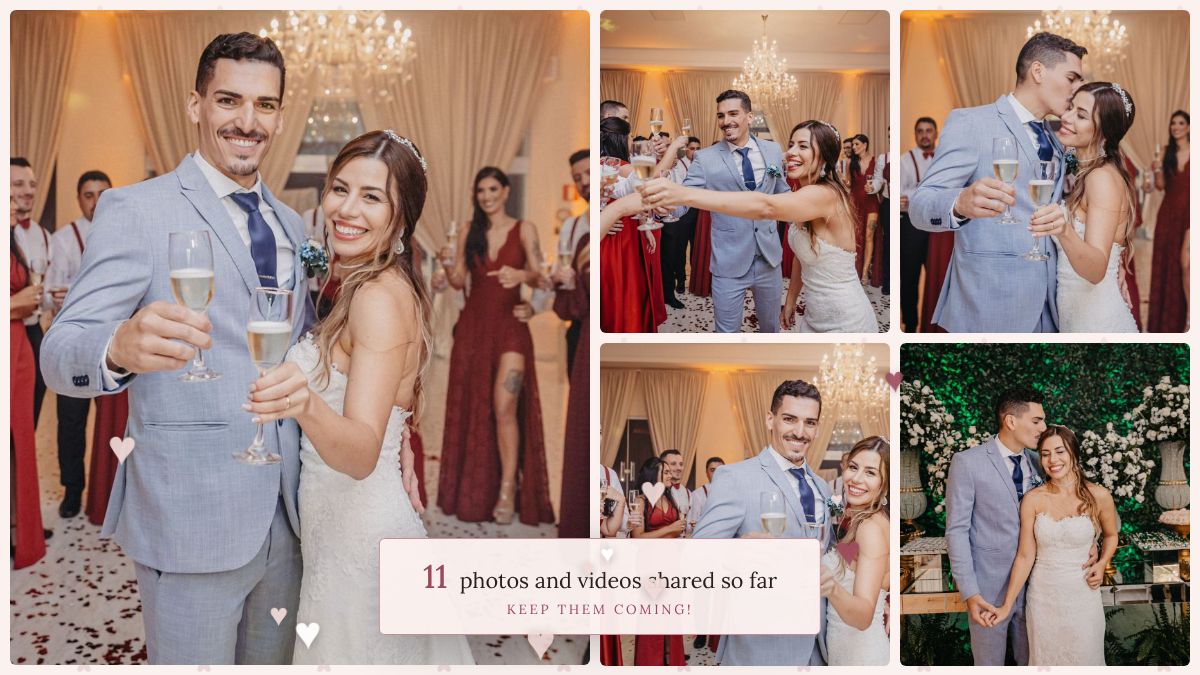
Your guests scan a QR code on the table and the photos they take appear on the big screen through the meal and the dancing. No app, no hashtag and no WhatsApp group to chase afterwards. The next morning, every photo is yours to keep.
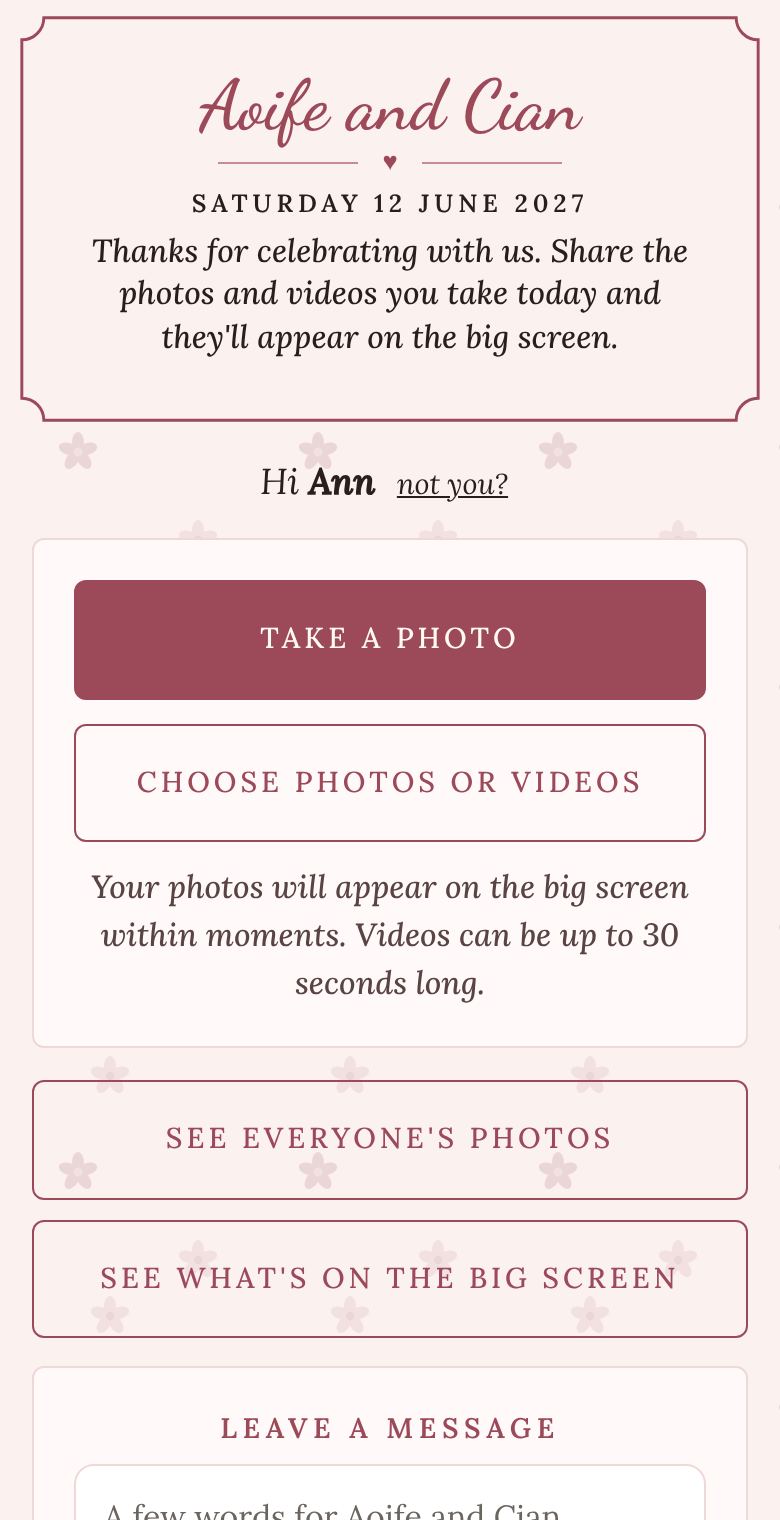
Scanning the QR code opens a page in the phone's own browser, in the same look as your screen. Guests type a first name, take a photo or choose a few from their camera roll, and that's it. They can leave you a message, look through everyone's photos, and heart their favourites.
It works on any phone, and there's no account to make. If your granny can take a photo, she can use it.
Pick a look to suit the wedding: romantic script on blush, classic serif on ivory and gold, or something modern and plain. Change the colours, the frame and the background, and add a photo of your own. The screen, the guest page and the printable QR cards all match, and you see every change as you make it.
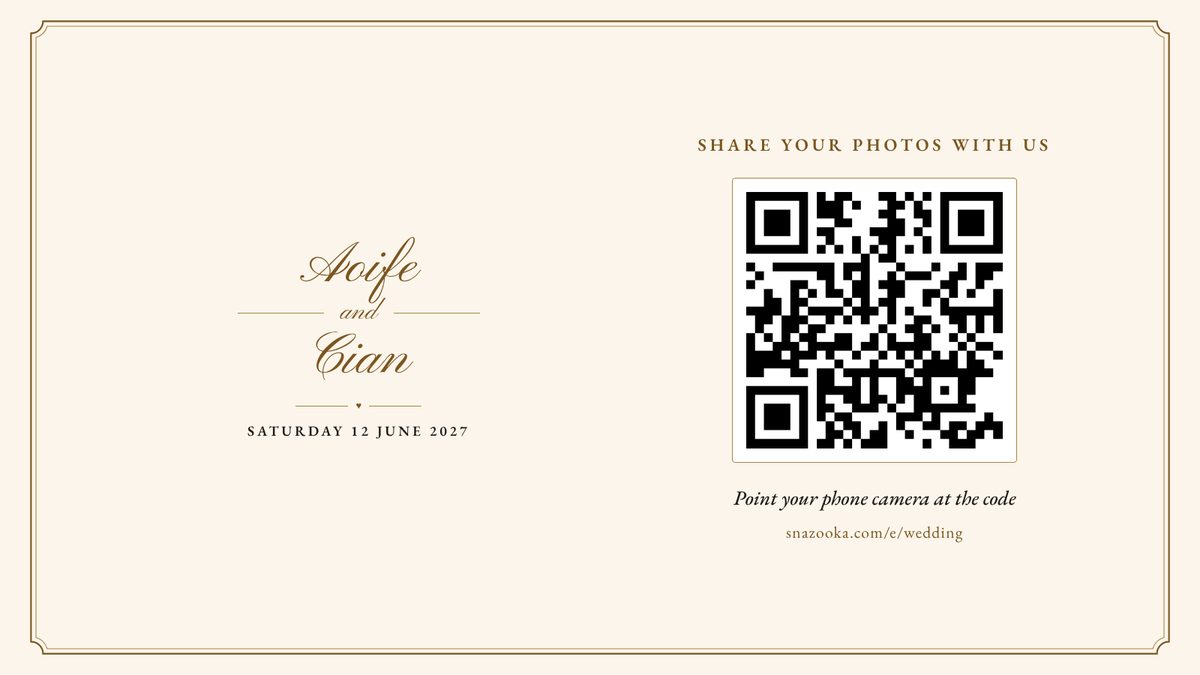
The QR cards print as an A5 sign for the bar and the entrance, or six table cards on one A4 sheet to cut up. Save them as a PDF and send them to the printer with your place cards, or print them at home.
Snazooka is for the photos your guests take. It doesn't replace your photographer, and the two sit well together: the photographer gets the day, your guests get the bits in between.
The Event plan is €24.99 €29.99 for your wedding, however many guests you have, with up to 2,000 photos and 100 videos. Set it up free first and pay when you're ready. More about pricing and refunds.
You get every photo they choose to share. Guests take a photo in Snazooka or pick ones from their camera roll, so nothing goes up without them meaning it to. People share more when they can see their photo land on the screen.
A slideshow of everything shared so far, with guests' messages and collages mixed in. New photos jump to the front as they arrive. Before the first photo, it shows a welcome card with your names and the QR code.
If she can take a photo on her phone, yes. She scans the code with the camera, types her first name, and presses Take a photo. There's no app to install and no account to make.
Yes. On the Event plan uploads stay open until a week after the wedding, so the photos people forgot to share on the night can go in over the following days.
Guests can share video clips of up to 30 seconds each, and they play on the screen. For the full speeches, ask someone to film them on their phone and send you the file separately, as Snazooka keeps videos short so they upload on hotel Wi-Fi.
Yes. A screen-sized copy goes up first so the photo appears within moments, and the original follows in the background. The download gives you the originals.
Your event has a printable QR sign in the same look as your screen. Print it as an A5 sign or as six table cards on an A4 sheet, or save it as a PDF for your printer. If you'd rather design your own, you can copy the QR code image into them.
The same as for 50 guests: one Event plan, currently €24.99 including VAT. There's no charge per guest.
More answers in the questions on the home page.